
- Click the Menu icon
 at the top-right corner of the screen, then click Delete browsing data.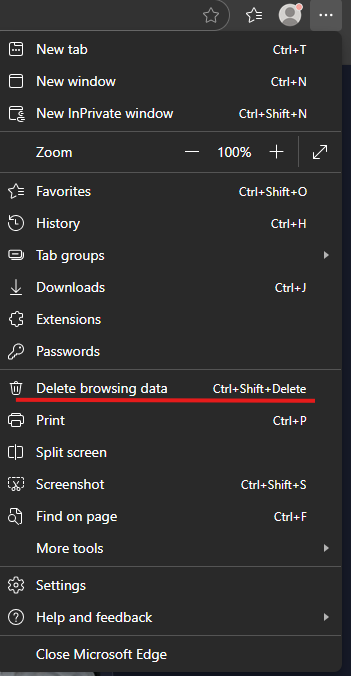
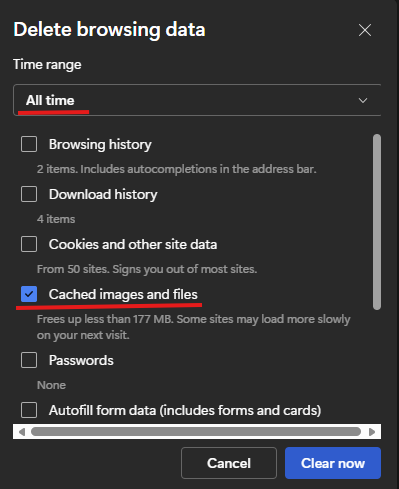
- In the Delete browser data menu, under Time range choose All time and make sure cache is selected.
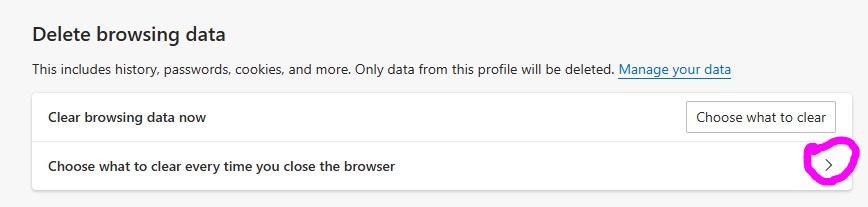
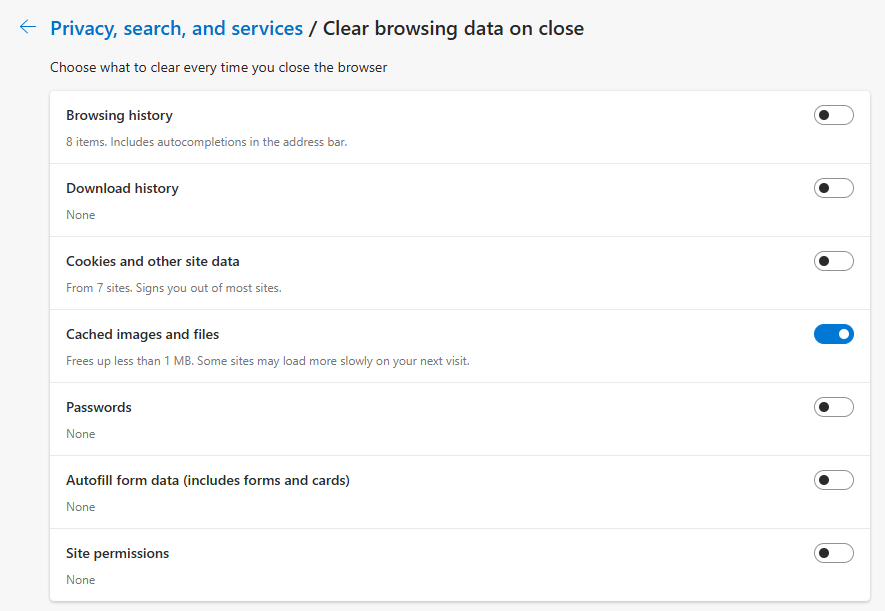
- We also recommend letting Edge to delete cached data when you close the browser.
Please close the browser completely after you clear browsing data and re-open it to try the page/function again.
See Also: